Windows
Windows desktop · x64 · v0.1.24 preview
Download .exe conakeBROWSER / CONAKE STUDIO
ANIME ECLIPSE / DESKTOP DOWNLOADS
Keep your favorites close. Edit New Tab shortcuts, save pages with a star, and make it yours with anime wallpapers, custom tabs and offline Snake Run.
WINDOWSLINUXmacOSCHROMEBOOK
01 / GET THE BROWSER
Register your free .conake name ↗ · Up to five aliases for existing public HTTPS websites. Works from desktop v0.1.19 or Chromebook Preview 03. The real website address remains visible; this is a Conake-only namespace without Tor routing or anonymity.
New here? Follow the setup guide ↗ for installation, profiles and your first tabs. Sign in with Conake ↗ to manage your .conake names. Your online Names account and encrypted desktop profile are separate.
Windows desktop · x64 · v0.1.24 preview
Download .exe
Linux desktop · x86_64
.deb + AppImage: v0.1.24 preview
Conake Plus is now on New Tab. Favorites and shortcuts are still there.
Ubuntu / Mint / Debian .deb ↓ Other Linux desktops AppImage ↓
macOS · v0.1.23 preview. Choose your Mac's processor.
Apple Silicon .dmg ↓ Intel Mac .dmg ↓✦ NEW / EARLY PREVIEW
Preview 06 adds Chrome Web Store browsing from the browser menu; Android extension installation is not supported. It retains the upper address-bar fixes for physical Enter and numpad Enter, supports more on-screen keyboard actions, and adds a visible Go button. It also includes Quick setup, official Conake Account links, .conake name navigation, the anime dashboard, bookmarks, history, editable quick links, tab tools, find-in-page and desktop-site mode. For supported Chromebooks with Android apps and ADB sideloading. Internet is required. Desktop accounts and extensions are not included.
Phone warning: Opening this APK on a phone can trigger a 48-hour IP ban. Everyone sharing the same public network may be affected.
The verification service sees your public IP and device category to apply the restriction. It does not receive your browsing addresses.
Open this page on a Chromebook to see the APK download button.
Download Chromebook APK PREVIEW ↓Use an installer above. GitHub's “Source code” and “Download ZIP” links contain the download website files.
02 / BUILD YOUR UNIVERSE
These features describe the desktop edition. The Chromebook preview has a smaller feature set.
Add and edit up to 16 website shortcuts on New Tab. Save pages with the address-bar star or Ctrl/Command+D; your eight newest favorites appear as tiles. Pick an anime wallpaper to make it yours.
Shortcuts & favorites guide ↓Explore community extensions or publish your own JavaScript and CSS content scripts. Review the source and site access before installing.
Open Extension Store ↗Create a password-encrypted local profile for bookmarks, history, settings, API keys, and your Snake Run best. Accounts stay on your computer.
How accounts work ↓03 / CONAKE ARCADE
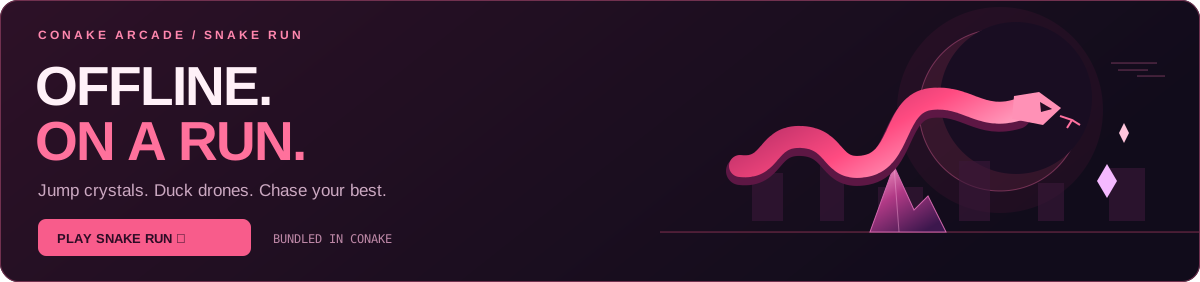
Jump crystals. Duck drones. Collect glowing orbs. Snake Run is bundled into the desktop edition and works offline. The Chromebook preview includes the game but requires an internet check to open the app.
Space jump · ↓ duck · P pause · Touch controls included
The web version caches after your first online visit. Web scores stay on that device; desktop scores stay in your encrypted profile. Chromebook preview scores are stored locally without a desktop account.
04 / FIND YOUR PEOPLE
05 / QUICK ANSWERS
For desktop, open your installer and create a local account with a password of at least 12 characters. The separate Chromebook preview does not yet have desktop accounts.
Open Extensions in Conake to review an extension’s source and website access before installing it. Enable extension mode, then lock and sign in again. The first format supports JavaScript and CSS content scripts for HTTP/HTTPS websites; it does not install arbitrary Chrome Web Store packages. Creators are not automatically reviewed.
On New Tab, choose + Add shortcut to save a website link. A tile’s ⋯ button edits its name or address, or removes it. You can save up to 16 shortcuts.
Click the address-bar star or press Ctrl/Command+D to save the current page. The eight newest bookmarks appear on New Tab. Choose View all bookmarks, Ctrl/Command+B or Ctrl/Command+Shift+O to add, edit, search or remove favorites. Press F1 for the keyboard guide. Favorites and shortcuts stay in your encrypted local profile; existing bookmarks are preserved.
Right-click, or use a two-finger click on your trackpad, to open the context menu. Text fields offer Cut, Copy, Paste, Paste as Plain Text, Undo, Redo and Select All where available. You can also click Edit ▾ beside Lock. It uses the page or browser field you last focused.
Keyboard shortcuts work too: Ctrl+C copies, Ctrl+X cuts, Ctrl+V pastes and Ctrl+A selects all. Use Command on Mac.
Bookmarks, history, settings, the download list, and API keys are saved in a password-encrypted profile. Accounts stay on this computer. There is no cloud sync or password recovery, so keep your password safe.
Click Lock to sign out and close your tabs. Website sessions end on sign-out or restart. Up to 40 pinned addresses, names, colors, and their order are saved in your encrypted profile and reopen after sign-in. Other tabs and the recent closed-tab list reset when you lock. Extension mode temporarily stores session data on disk and clears it during normal lock or exit; a crash can leave temporary files. Files you download, backups, and files left by older versions remain outside the encrypted profile.
Use the .deb package on Linux Mint, Ubuntu, or Debian; use AppImage on other Linux desktops. Use .exe on Windows and the matching .dmg on your Mac. GitHub's Source code and Download ZIP links contain the download page files. Use one of the installer buttons above.